
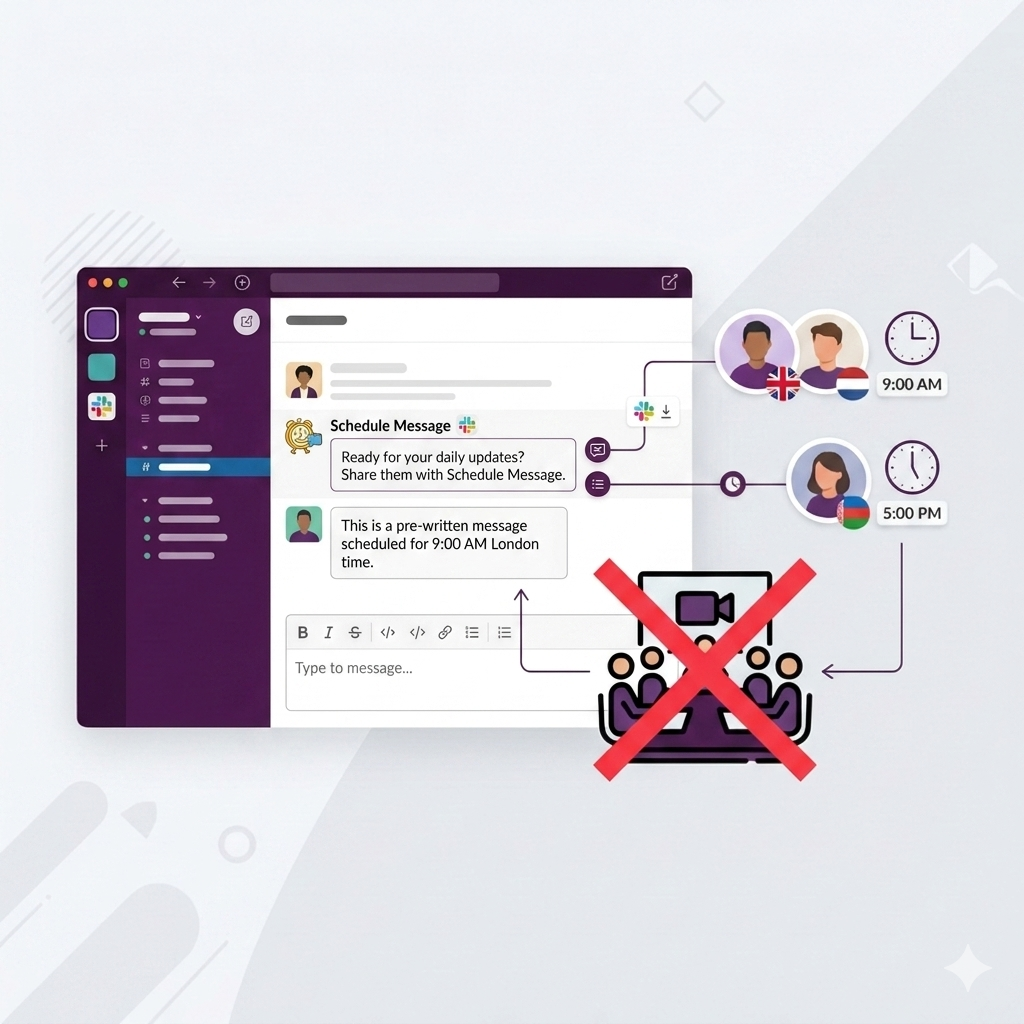
The 15-minute daily standup was invented for teams who share a physical office and need to be physically pulled away from their desks to communicate. Remote and hybrid teams inherited this ritual without questioning whether it still made sense. Spoiler: it usually doesn't. A mandatory meeting at 9:15 AM on a Tuesday to hear six people say "still working on the same thing as yesterday" is one of the more efficient ways to destroy the morning's deep work window.
The good news: an async standup in Slack gives you more information, more thoughtful updates, and zero calendar overhead. Here's exactly how to set one up.
What an async standup actually is
An async standup is a recurring Slack message that prompts your team to share updates in thread — no meeting required. A bot (or a scheduled message from a person) posts three questions into the team channel. People reply when they're ready, which is usually within 30–60 minutes of the message going out. The manager reads the thread, spots blockers, and follows up directly with anyone who needs help.
The result: everyone on the team knows what everyone else is working on. Blockers surface faster because people aren't waiting for a meeting to mention them. And nobody's morning gets fragmented by a sync that could have been a thread.
Step 1: Set up the standup channel
Create a dedicated #standup or #daily-updates channel. Don't use your general team channel — mixing standups with other conversation makes them easy to ignore. A dedicated channel signals that this is a structured ritual, not a chat.
- Name it clearly:
#standup,#daily-standup, or#team-updates - Set the channel description: 'Daily async standup — reply in thread with your update by 10 AM'
- Invite the whole team and anyone who needs visibility (stakeholders, cross-functional partners)
- Pin the instructions in the channel so new team members know what's expected
Step 2: Write the standup message
The classic standup framework — Yesterday / Today / Blockers — works because it's predictable. People know exactly what to write, so they don't overthink it. But the exact wording matters more than most managers realize.
Compare these two versions of the same prompt:
| Weak version | Why it underperforms | Better version |
|---|---|---|
| Please share your standup. | No structure → wall of text or one-word answers | What did you finish yesterday? What are you working on today? Anything blocking you? |
| How is everyone doing? | Social question, not a work update | Drop your update in thread — Yesterday / Today / Blockers |
| Standup time! | No guidance → awkward silence | Good morning team. Reply in thread with: 1) what you shipped yesterday, 2) what you're focused on today, and 3) any blockers. |
Here's a template that works consistently:
Standup message template
TemplateGood morning team! 👋 Daily standup time. Reply in thread with: ✅ What did you finish or make progress on yesterday? 🔨 What are you working on today? 🚧 Anything blocking you or waiting on someone? Quick replies are perfect — no essays needed.
The "no essays needed" line matters. Teams often overthink standup updates, especially in writing. Giving explicit permission to be brief gets you faster, more honest replies.
Role-Specific Standup Templates
Different teams need different focus areas. Here are variations for engineering, product, and sales teams:
For Engineering
TemplateMorning! ☕ Daily standup: • What PRs did you merge yesterday? • What tickets are you tackling today? • Code review needed or blocked on anything?
For Product Managers (PMs)
TemplateSync time! 🚀 • What shipped or advanced yesterday? • What's the main focus today? (Specs, interviews, triage) • Any decisions blocked waiting on someone?
For Sales / GTM
TemplateMorning team ☀️ • Big wins or meetings from yesterday? • Top 3 priority deals moving today? • Need help from leadership/SEs on any account?
If you want more high-performing standup templates or inspiration for other team rituals, browse the free message template library — it includes standups, weekly check-ins, sprint reminders, kudos prompts, and manager nudges you can copy directly into Slack or Google Chat.
Step 3: Set the recurrence
This is where most teams fail. They write a great standup message, post it manually for two weeks, miss a Monday because of a holiday, and the habit never fully sets. The fix is automation.
Schedule Message lets you set a message to send every weekday at 9 AM — or whatever cadence fits your team. You write the message once, set the schedule, and it posts automatically. No reminders to remember, no manual sends, no gaps when you're traveling.
- Install Schedule Message in your Slack workspace
- Go to your
#standupchannel and type/schedule - Write your standup prompt (use the template above)
- Set recurrence: every weekday at 9:00 AM
- Done — it sends itself from now on
The message sends under your name, with your photo — it reads as a message from you, not a bot. This makes a bigger difference than you'd expect in how the team responds.
Automate your daily standup in under 2 minutes.
Set it up freeStep 4: Set expectations with the team
An async standup fails when the expectation is unclear. Tell the team specifically:
- When to reply: By 10 AM (or 10:30 AM). Give a hard deadline so there's a window when everyone can read all the updates together.
- How detailed: 2–4 bullet points. Not a report, not a one-word answer.
- What 'blocked' means: If you're blocked, say who you're waiting on. That's the most actionable part of the update.
- What happens after: The manager reads all updates and follows up in thread or DM if someone needs help.
Run the async standup for two weeks before judging whether it's working. The first few days are always rough as people figure out the rhythm.
Step 5: Make it a real habit, not just a checkbox
The async standup is only as valuable as the responses it gets. Here's what separates teams where it becomes a genuine ritual from teams where it fades into background noise:
- The manager replies first. When the manager posts their own update within 30 minutes, participation rates go up dramatically. Lead by example, every day.
- Act on blockers publicly. When someone is blocked and you help them in the thread (not just a DM), the team sees that blockers are taken seriously and are more likely to surface them.
- Occasionally acknowledge good updates. A quick emoji reaction or 'great, sounds like X is on track' takes 3 seconds and signals that you actually read the updates.
- Review and adjust the questions quarterly. The three classic questions work for most teams, but some need different prompts — 'what are you most uncertain about today?' for research teams, 'any customer conversations worth sharing?' for sales teams.
What about timezone-distributed teams?
Async standups were practically invented for timezone-distributed teams. Instead of one standup at 9 AM that requires someone in a different timezone to join at an awkward hour, an async standup lets everyone reply when they start their day.
If your team spans more than 4–5 hours of timezone difference, consider:
- Removing the reply deadline and letting people reply when their workday starts
- Adding an optional 'today's timezone' field so people can see who's available when
- Setting up a second regional standup for a team that genuinely needs synchronous discussion (use a regional Slack channel)
When to keep a synchronous standup
Async isn't always the answer. There are situations where a live standup is genuinely better:
- During an active incident. Real-time information sharing and decision-making require a live call.
- First week of a sprint when there's genuine ambiguity about priorities.
- Teams of 3 or fewer where the overhead of an async channel is more friction than a quick 5-minute check-in.
- Teams in the same physical office who genuinely benefit from the human moment.
For most remote and hybrid teams of 4–15 people, async Slack standups replace synchronous meetings with something better — more thoughtful, more scannable, and zero calendar cost. Start there.
What are good daily standup questions for Slack?
What time should I send the daily standup message?
How do I automate a daily standup message in Slack?
What's the difference between a Slack standup bot and a scheduled message?
How do I get my team to actually respond to async standups?
Can this work for Google Chat teams too?
The best thing about an async standup is that once it's running, it basically runs itself. The message goes out. People reply. Blockers surface. Nobody has to be the standup police. That's the goal — a ritual that works even when nobody's thinking about it.
Set up your async standup in Slack today. It takes under 2 minutes.
Install Schedule Message free